
Lucio’s Word Add-in
Lucio’s Word Add-in
Review, edit and proof-read legal documents
Review, edit and proof-read legal documents
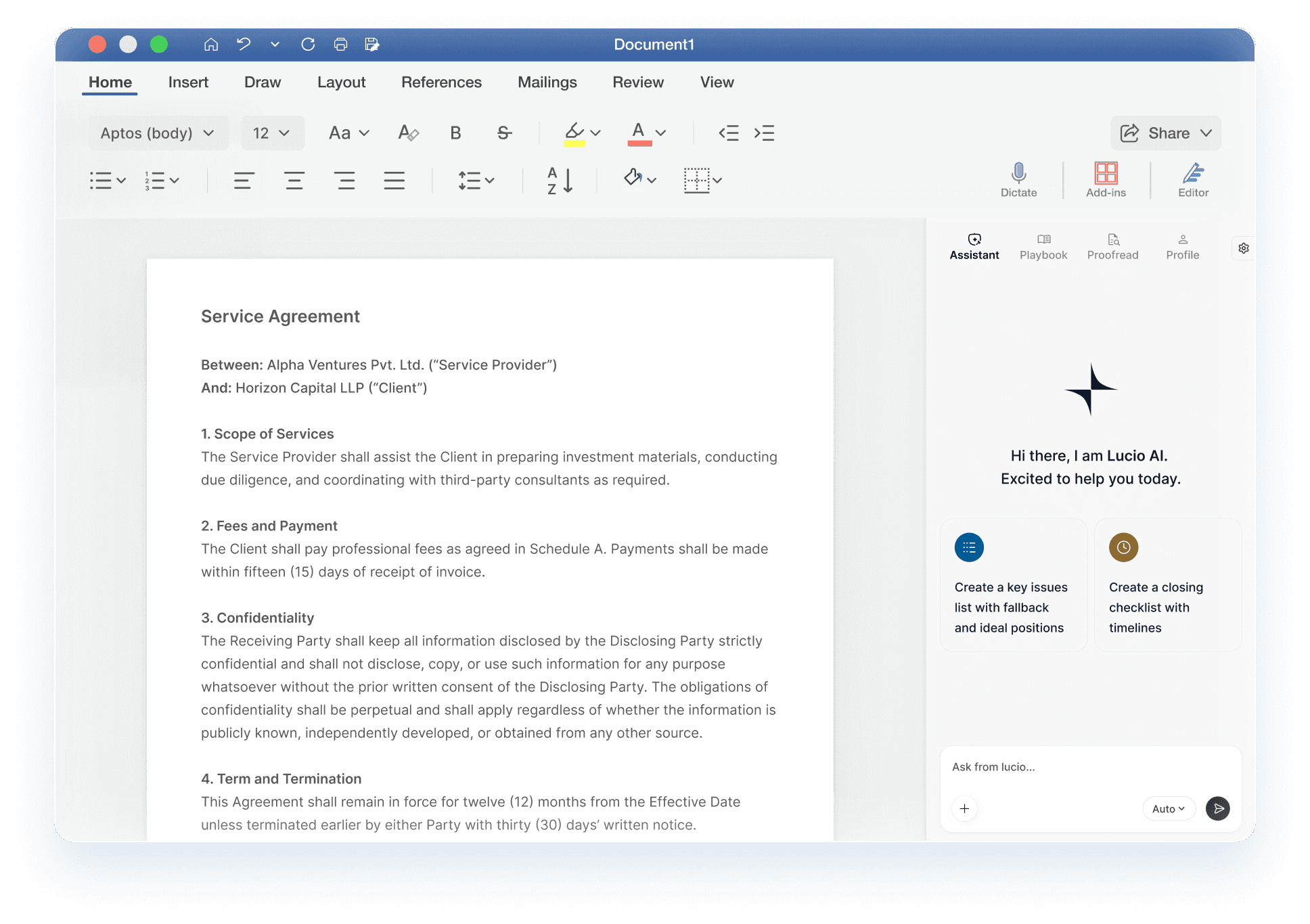


Join the early-access waitlist
Enter your email. You’ll receive an invite once your slot opens!

Join the early-access waitlist
Enter your email. You’ll receive an invite once your slot opens!
Edit like you think. Lucio handles the redlines.
Edit like you think. Lucio handles the redlines.
Edit like you think. Lucio handles the redlines.
No manual markup. Just select, instruct, and apply.
Run contracts against custom playbooks. Years of institutional knowledge, directly applied.
Run contracts against custom playbooks. Years of institutional knowledge, directly applied.
Run contracts against custom playbooks. Years of institutional knowledge, directly applied.
Upload your positions once. Let Lucio enforce them across every document, quickly and consistently.
Proofread not just for the English,
but for the law. No loose ends.
Proofread not just for the English,
but for the law. No loose ends.
Proof read not just for the English, but for the law. No loose ends.
Lucio proofreads your document for missing definitions, numbering errors, and placeholders - fixing what we often miss!
Frequently Asked Questions (Early Access)
Frequently Asked Questions (Early Access)
01 Getting Started
02 Core Features & Capabilities
03 Performance, Compatibility & Security
04 Pricing, Support & Roadmap
Getting Started
How do I join the beta?
Sign up with your work email above. We’ll invite users in waves as early access opens.
How will I install it?
Once invited, you’ll get a link to install Lucio directly from 'Get Add-ins' in Word or via the centralized deployment route on Microsoft 365.
What happens to my documents after early access expires?
You’ll keep your workspace and documents. When Lucio launches publicly, you can choose a plan to continue seamlessly.
Can your IT team deploy Lucio’s Word Add-In across your organisation?
Yes, a centralized deployment of Lucio across your organisation is possible via Microsoft 365’s admin centre. Contact your IT team or us to learn more.
What permissions does the add-in require?
Not a lot! Just enough to read the active document(s) and connect securely to Lucio.
01 Getting Started
02 Core Features & Capabilities
03 Performance, Compatibility & Security
04 Pricing, Support & Roadmap
Getting Started
How do I join the beta?
Sign up with your work email above. We’ll invite users in waves as early access opens.
How will I install it?
Once invited, you’ll get a link to install Lucio directly from 'Get Add-ins' in Word or via the centralized deployment route on Microsoft 365.
What happens to my documents after early access expires?
You’ll keep your workspace and documents. When Lucio launches publicly, you can choose a plan to continue seamlessly.
Can your IT team deploy Lucio’s Word Add-In across your organisation?
Yes, a centralized deployment of Lucio across your organisation is possible via Microsoft 365’s admin centre. Contact your IT team or us to learn more.
What permissions does the add-in require?
Not a lot! Just enough to read the active document(s) and connect securely to Lucio.